

Available models, service groups, prices, and quotas depend on the current console. Registering does not grant access to every model or make every request free.
What you can do
Your first session
1
Register and sign in
Follow account registration to set up your email and password, then sign in to the console.
2
Check services and balance
Check the model and service group you need. To add balance, follow account top-up using USDT or a balance redemption code. If you already have service entitlements, check their scope first.
3
Create a key for your use case
Open API Keys and choose a group that supports your intended capability. Use separate keys for different tools or projects.
4
Make one small trial request
Start with the quick web trial or a tool integration guide. Check the result and usage record before increasing usage.
Find your way around the console
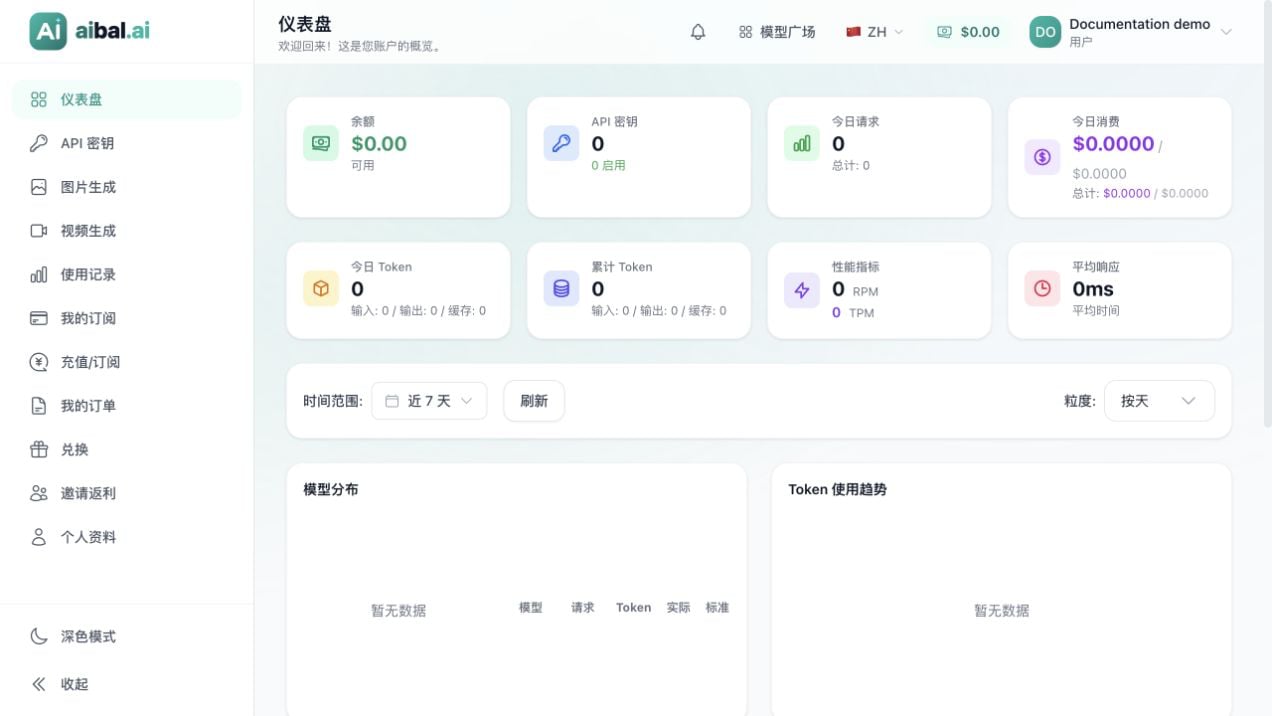
aibal.ai console in Chinese, using a regular demo account with no real request history
Understand the key terms
- Account: signs you in to the website and manages your services.
- API key: authenticates client or script requests; it is not your login password.
- Service group: defines the services and rules available to a key. Keys in the same account may support different models.
- Balance and entitlements: determine the resources available to you. A key can also have its own quota, expiry, and rate limits.
- Model: the capability requested by your client. Copy its exact name from the console or the group’s integration instructions.