

Before you start
- Create an account, then sign in to aibal.ai.
- For USDT, use a wallet or exchange account that supports the network specified on the payment page. Allow for transfer fees.
- Have the complete redeem code ready. Codes are case-sensitive and can only be used once.
- Check which account you are signed in to. Do not use a wallet address sent by someone else.
Top up with USDT
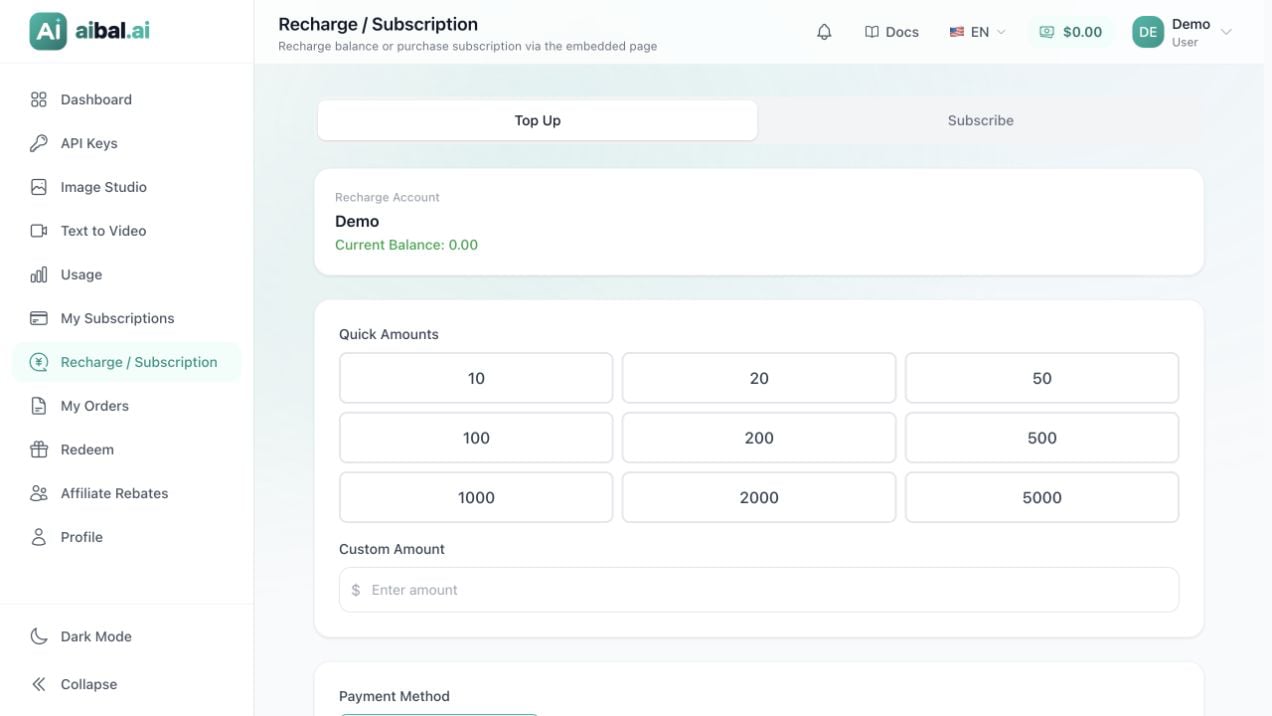
Recharge amount and current balance
1
Open the recharge page
Open Recharge or Recharge / Subscription in the dashboard and select the recharge option, or open the recharge page directly. The navigation label and available features depend on the current site settings.Check Recharge account and Current balance to confirm the intended account.
2
Enter an amount
Select a preset amount or enter a custom amount within the limits shown on the page.The recharge amount, payment amount, and credited balance may differ because of currency conversion or fees. Check each amount separately.
3
Select the USDT payment method
Under Payment method, select the available USDT option. The screenshot shows USDT-TRC20, which uses the TRON network. Always follow the network specified by your current order.If USDT is not listed, it is not available for your current account or amount. Adjust the amount or contact support through the site. Do not send funds to an address from an earlier order.
4
Confirm the order and open the payment page
Review the payment amount, fees, and credited balance, then click Confirm payment. Follow the prompt to open the payment page. If your browser blocks the new window, allow it to open.Before paying, check the order number, currency, network, recipient address, exact amount due, and remaining time. The number entered in the recharge form is not necessarily the final USDT amount due.
5
Transfer according to the order
Copy the address from the current payment page and select exactly the same network in your wallet or exchange. Send the exact amount required, accounting for any fee deducted from the amount received. TRON wallet transfers require TRX for network fees.Pay before the order expires and save the order number and transaction hash (TxID). Do not pay the same order twice or send funds to an expired order.
6
Return to confirm the credit
After transferring, return to the payment page and wait for its status to update. Open My orders to check the order.Verify that the order is Completed and your account balance has updated. A successful wallet transfer alone does not confirm that aibal.ai has credited your account.
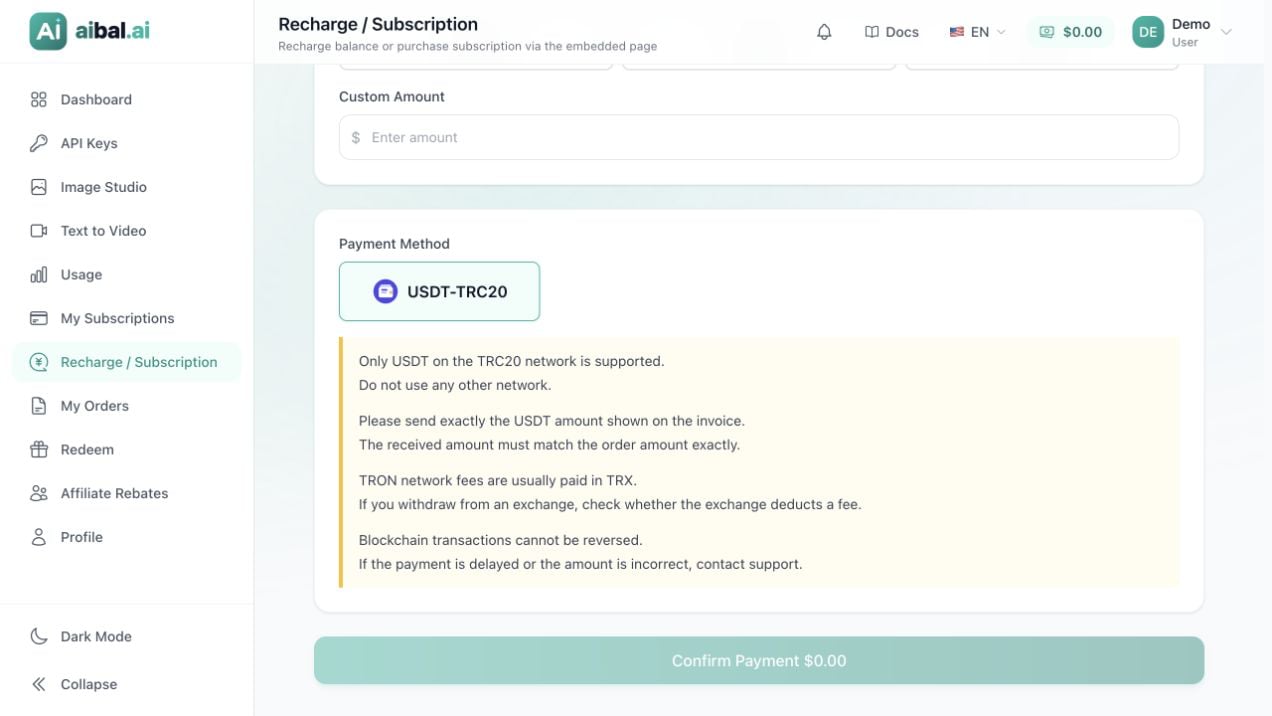
USDT-TRC20 payment option and transfer reminders
Understand the payment details
Redeem a code
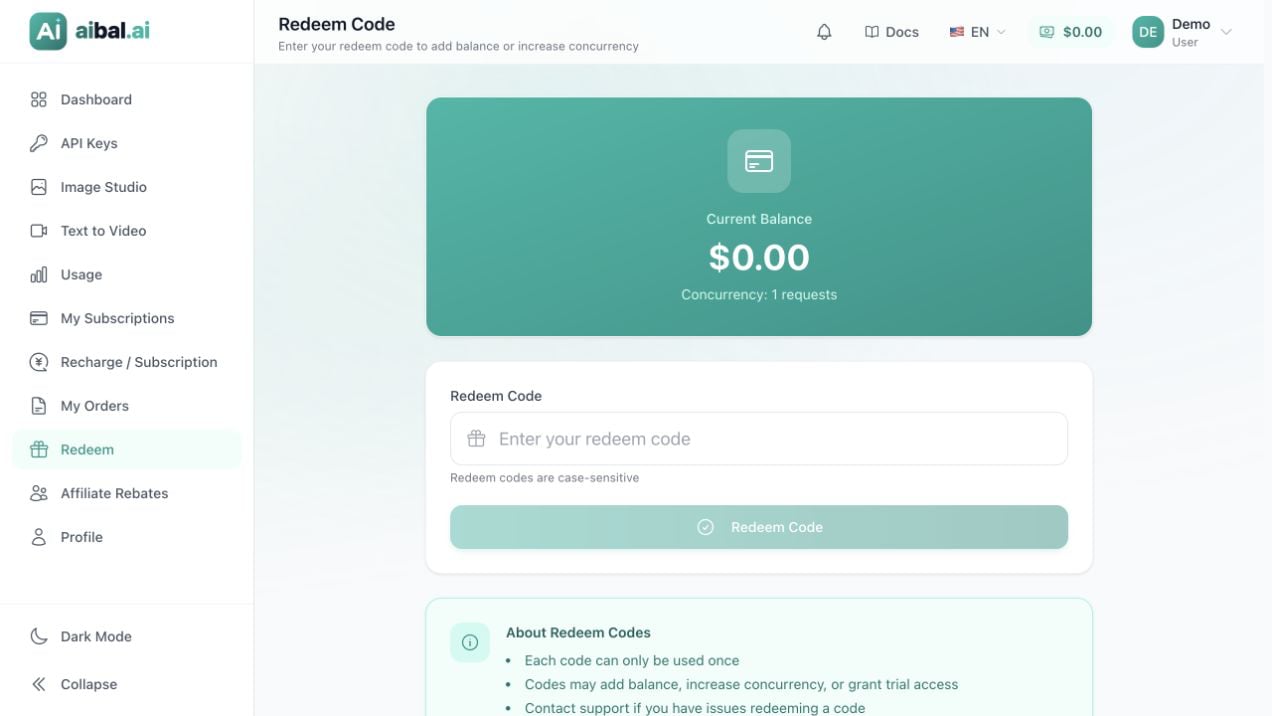
Redeem code input and account benefits
1
Open the redeem page
Select Redeem in the dashboard to open the redeem page. It displays your current balance and concurrency.
2
Enter the complete code
Paste the code into Redeem code. Preserve the original letter case and check for missing characters or extra spaces.
3
Submit the code
Click Redeem and wait for the result. Do not click repeatedly or try the same code in another account at the same time.
4
Check the benefits received
After the success message, check whether the code added balance, concurrency, or a subscription. Verify the entry under Recent activity.For a subscription, check its group and validity period. Subscription and concurrency codes do not necessarily increase your account balance.