

Before you start
- Sign in to aibal.ai and prepare an active API Key whose group supports video.
- Check your account balance and Key quota; top up if needed. Web and API generation both incur usage charges.
- Start with a short duration. Current console pricing, service availability, and quotas apply.
Generate video in the browser
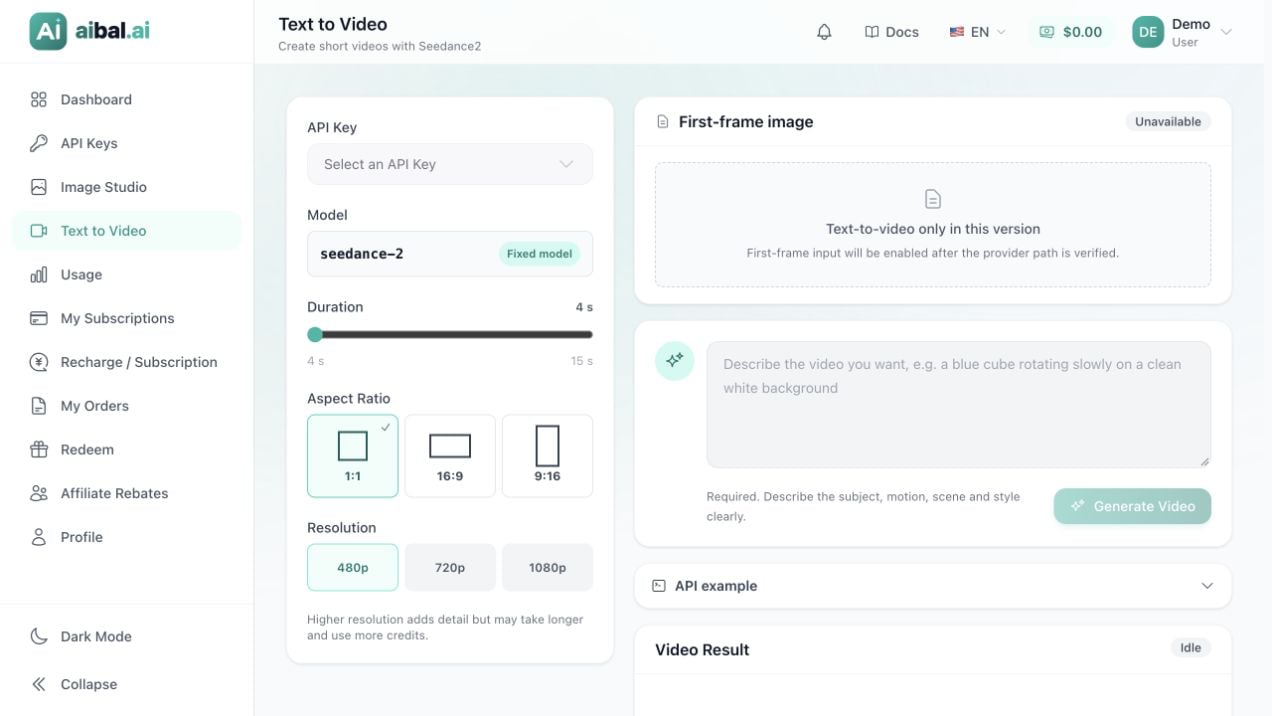
Text to Video. No API Key is selected and no generation task has been submitted.
1
Open Text to Video
Open Text to Video and select an API Key. The page currently uses the fixed model
seedance-2.2
Choose basic settings
For a first attempt, use Duration: 4 s, Aspect Ratio: 1:1, and Resolution: 480p. On mobile, tap Video settings if the panel is collapsed.
3
Write a prompt
Describe the subject, movement, scene, and camera. For example: “A blue cube rotates slowly on a clean white background, soft studio lighting, fixed camera, simple composition, no text.”First-frame image is currently unavailable; no image upload is needed.
4
Submit and wait
Click Generate Video and watch Video Result for automatic status updates. Do not submit the same request repeatedly or treat a queued or processing task as a failure.
5
Play and download
When the status becomes Completed, play the result. Click Download Video to save it. If your browser opens a playback page, use its player or save controls. You can also use Open in new window.
6
Review previous tasks
Select a task under History to view its prompt, settings, status, and result. The queried task status is authoritative; closing your browser does not cancel it.
Parameter reference
Create video through the API
Usecurl and set AIBAL_API_KEY securely in your local environment. The following request creates a real task and may incur charges.
The
seedance-2 endpoint is /api/v3/contents/generations/tasks, without /v1. Do not reuse another video model’s endpoint or request body.1. Create a task
content must contain exactly one text item. The example matches the initial web settings; set generate_audio to false. Do not use seedance-2-fast or the adaptive ratio in this workflow.
The response is saved as video-task.json in the current directory. Open the file and keep its id for later queries. A successful HTTP request returns task information; inspect status to determine whether generation has finished.
If your program retries creation requests, add an Idempotency-Key header: use a unique value for each new task, and keep that value and request body unchanged for retries of the same task. Do not use a new value simply because a request timed out.
2. Query the task
Replace the placeholder with the returnedid and query using the original API Key:
video-status.json to read the returned status. Query approximately every 5 seconds and increase the interval after temporary query errors. Do not create another task instead of querying the existing one.
3. Save the video
A successful result providescontent.video_url. Open that URL or place it in the command below:
Frequently asked questions
The button is disabled or no Key is available
Select an active Key and enter a prompt. The Key’s group must allow video generation; an account balance or access to text models alone does not provide video access.Can I cancel a submitted task?
Video task cancellation is currently unsupported. Closing or refreshing the page, or interrupting your local request, does not cancel a submitted task. Review the prompt and specifications before submitting.The task completed but playback fails
Try Open in new window, then download the file. If it remains unavailable, keep the task ID and error details for support. Do not immediately create the same task again to obtain another URL.What about insufficient balance, invalid parameters, or an unknown status?
Check balance and Key quota for billing errors; verify model, duration, ratio, and resolution for input errors. Forunknown_submission or a timeout, check History and usage records before retrying, to avoid duplicate tasks and charges.
Try text to image, or continue to the integration overview.